Digital products for small organizations
Cybersecurity basics, written down and done in 30 days.
Editable checklists, policies, and plans for small businesses and nonprofits without an IT department — in plain language, organized around the NIST Cybersecurity Framework 2.0.
Store opening soon
- Price
- $39 one-time
- Editable files
- 10 · 7 Word, 3 Excel
- Reading copies
- 7 PDFs
- Plan
- 30 days, week by week
- License
- One organization
01 The problem
Small teams are expected to protect information without the staff to do it.
- 01
Nobody owns it
Technology is handled by the owner, the office manager, or a volunteer — alongside everything else.
- 02
Advice is scattered
Good guidance exists, but it is long, technical, and often written for organizations with security staff.
- 03
Nothing is written down
When a partner, funder, or insurer asks how you protect information, there is no document to show.
02 Why a toolkit
Decide, don’t draft.
There are three common ways to get started. A toolkit is the middle path: the structure and wording are done, so the work left is the part only you can do.
Search and piece it together
Free and flexible, but slow — and it is hard to know what is missing or what to do first.
Hire hands-on help
The right choice for complex or regulated environments. More than many small teams need to get started.
Start from a structured toolkit
Ready-made documents in working order, so your time goes into decisions about your organization — not formatting.
03 What you receive
Ten working files. Every page shown is real.
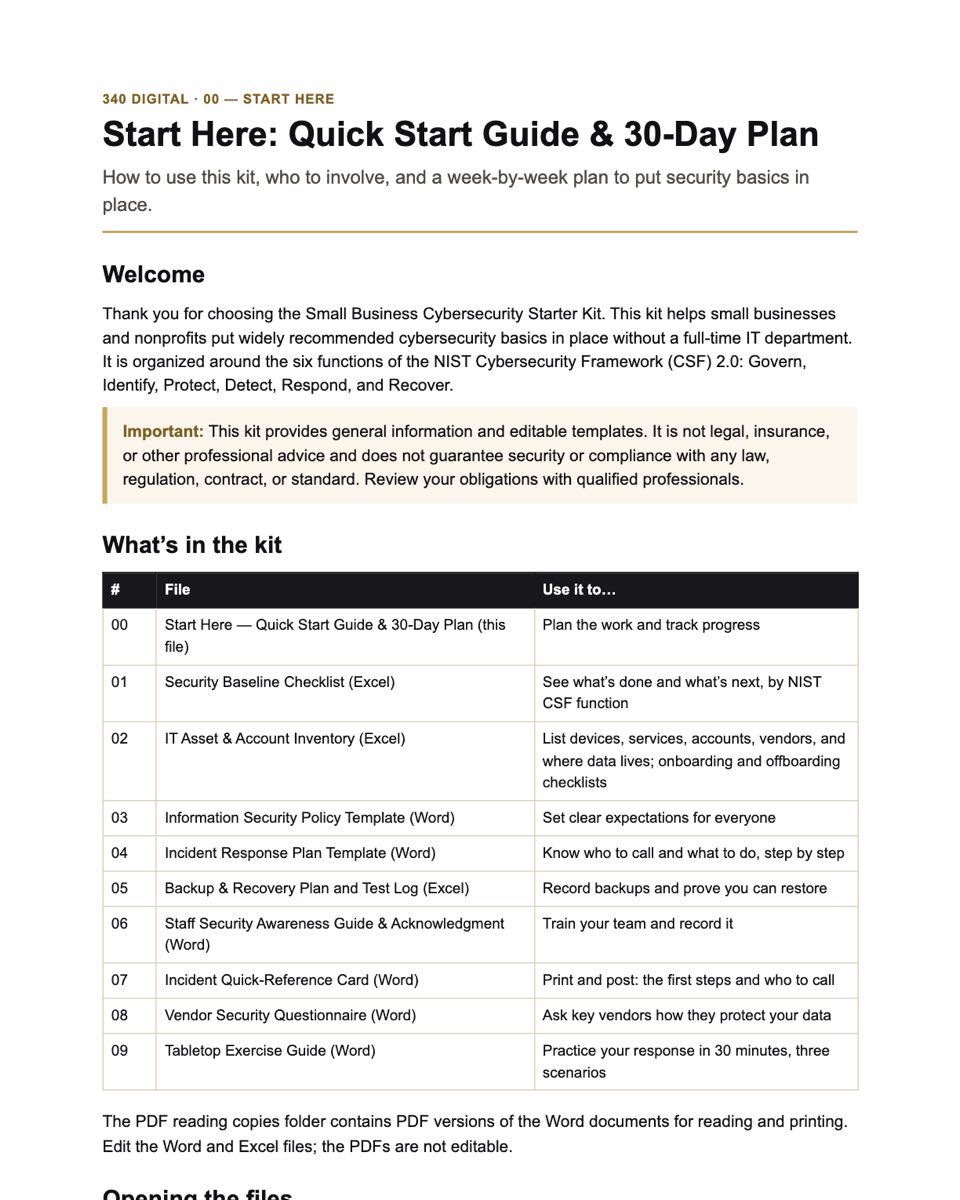
10 editable files in the order you use them, plus 7 PDF reading copies, a README, the license, and a file manifest. Select a file to see its first page.
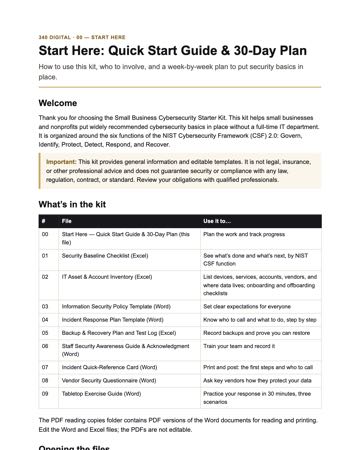
- DOCX00 · Start Here — Quick Start Guide & 30-Day PlanWhat each file is for, who to involve, a week-by-week plan, and a plain-English glossary.
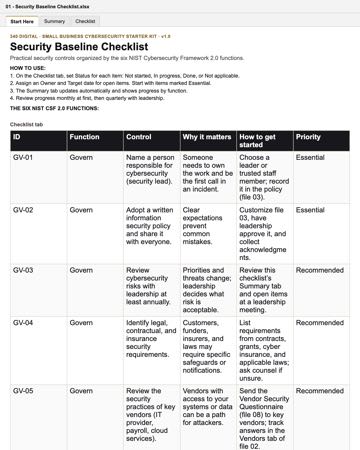
- XLSX01 · Security Baseline Checklist40 practical controls grouped by NIST CSF 2.0 function, with status, priority, owner, and a progress summary.
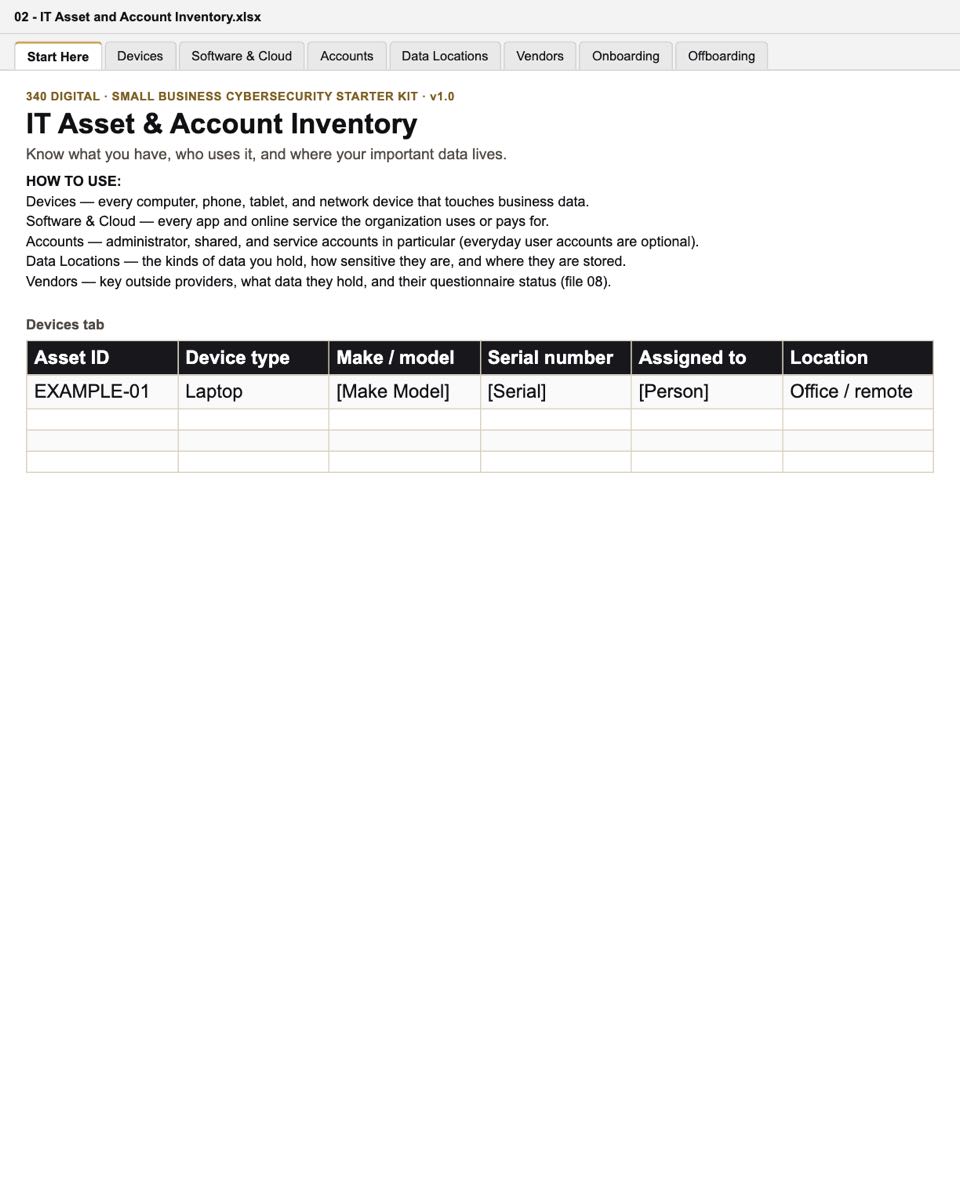
- XLSX02 · IT Asset & Account InventoryDevices, software and cloud services, key accounts, vendors, and data locations — plus onboarding and offboarding checklists.
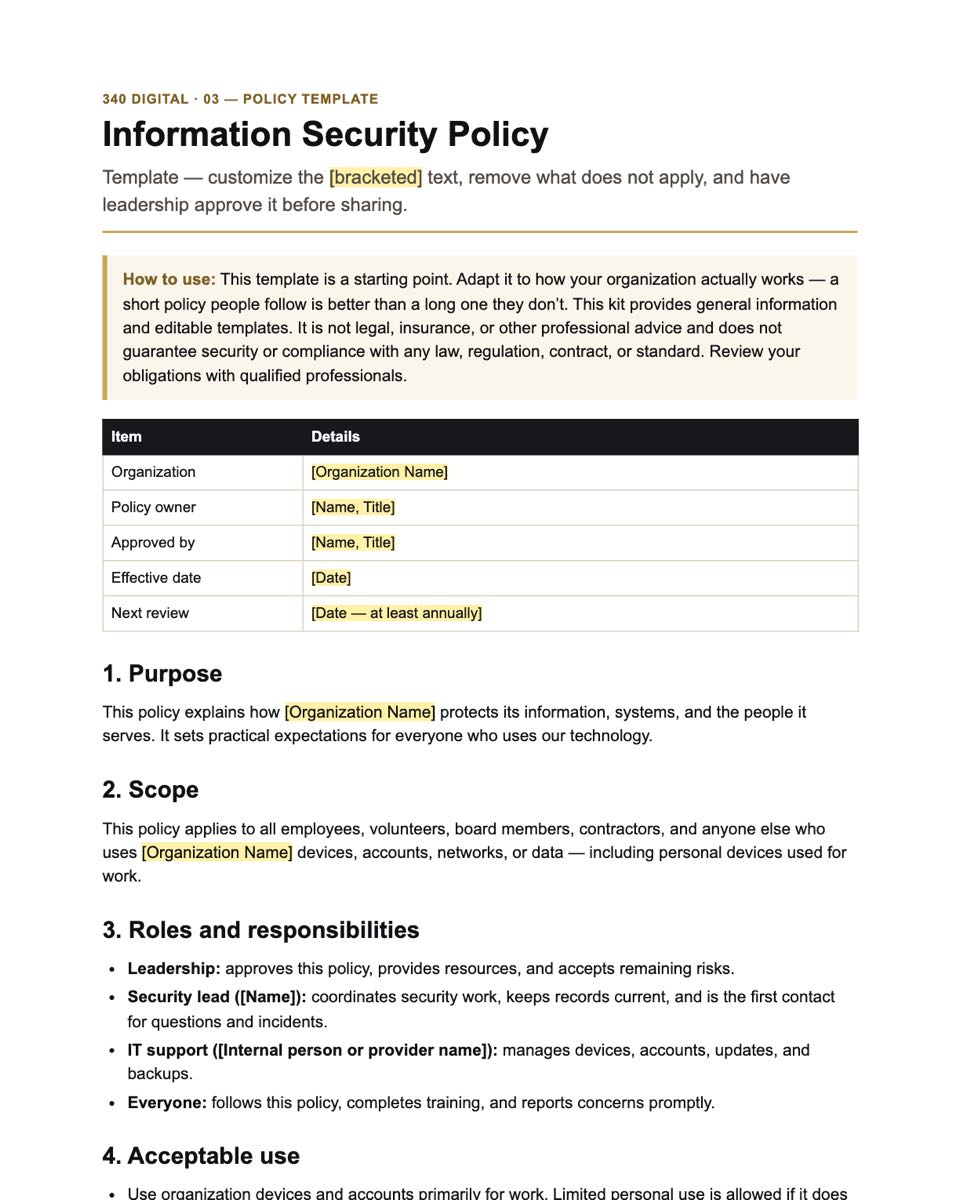
- DOCX03 · Information Security Policy TemplateEditable starter policy covering acceptable use, passwords and MFA, devices, email, data handling, and reporting.
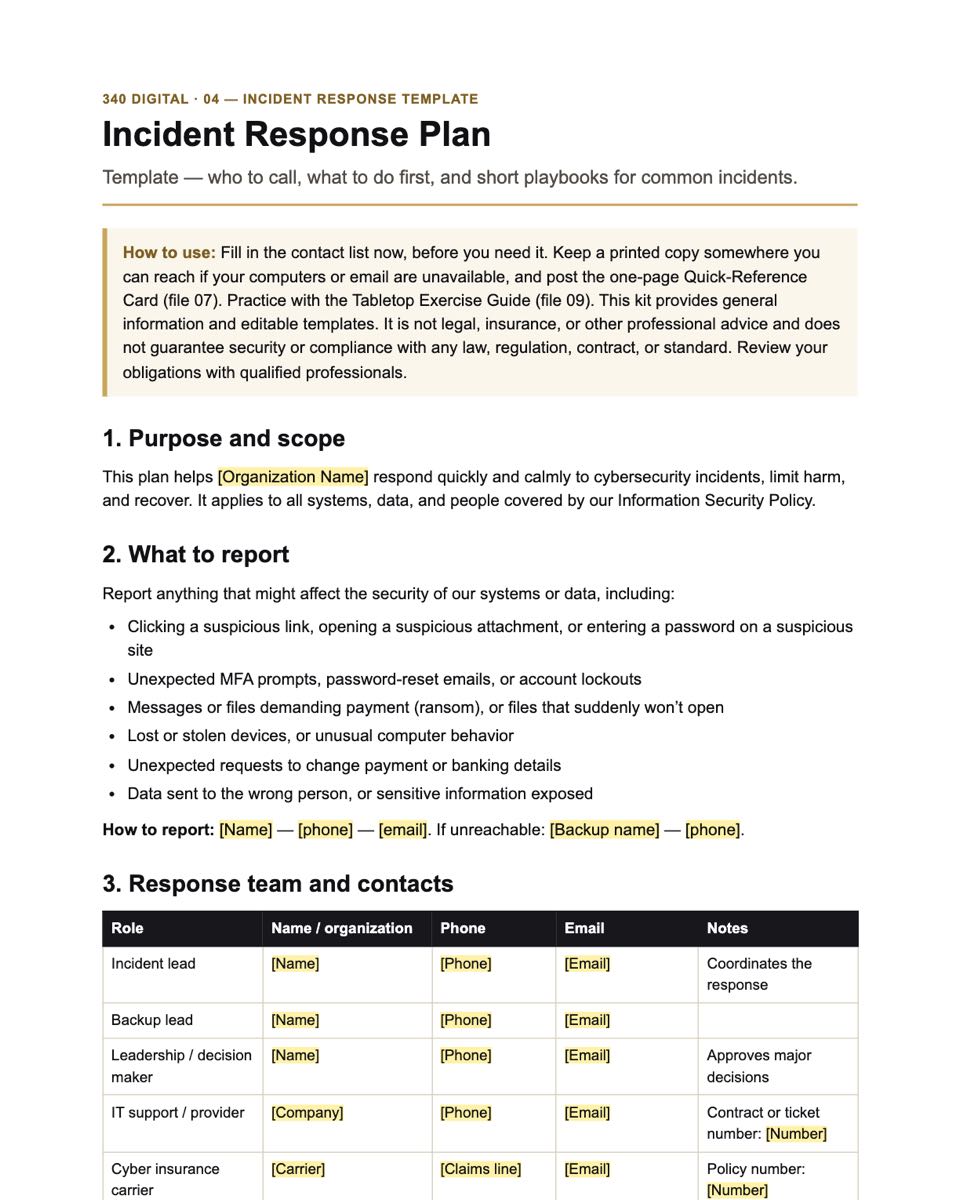
- DOCX04 · Incident Response Plan TemplateRoles, contacts, severity levels, first steps, and five short playbooks, including ransomware and payment fraud.
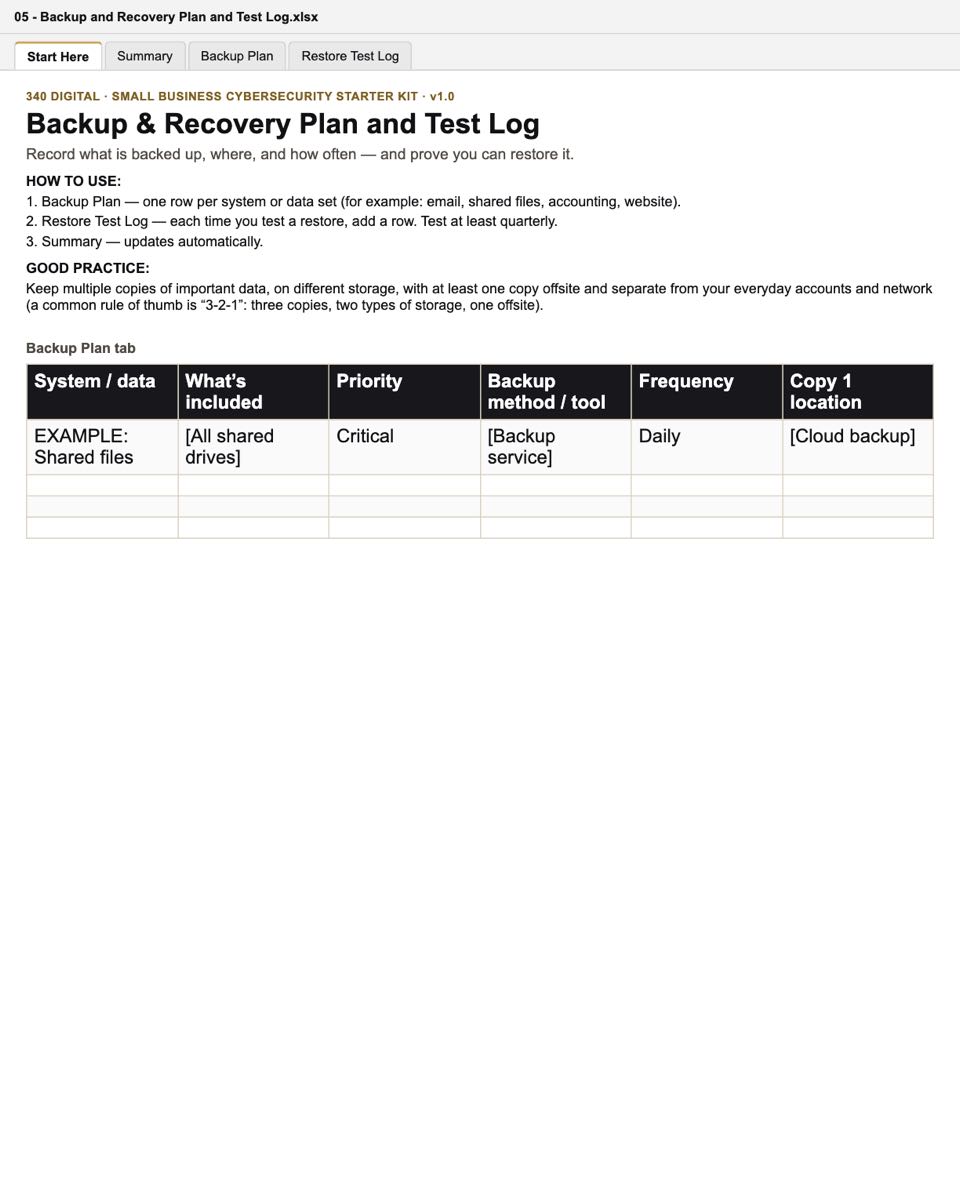
- XLSX05 · Backup & Recovery Plan and Test LogRecord what is backed up, where, and how often — and log restore tests.
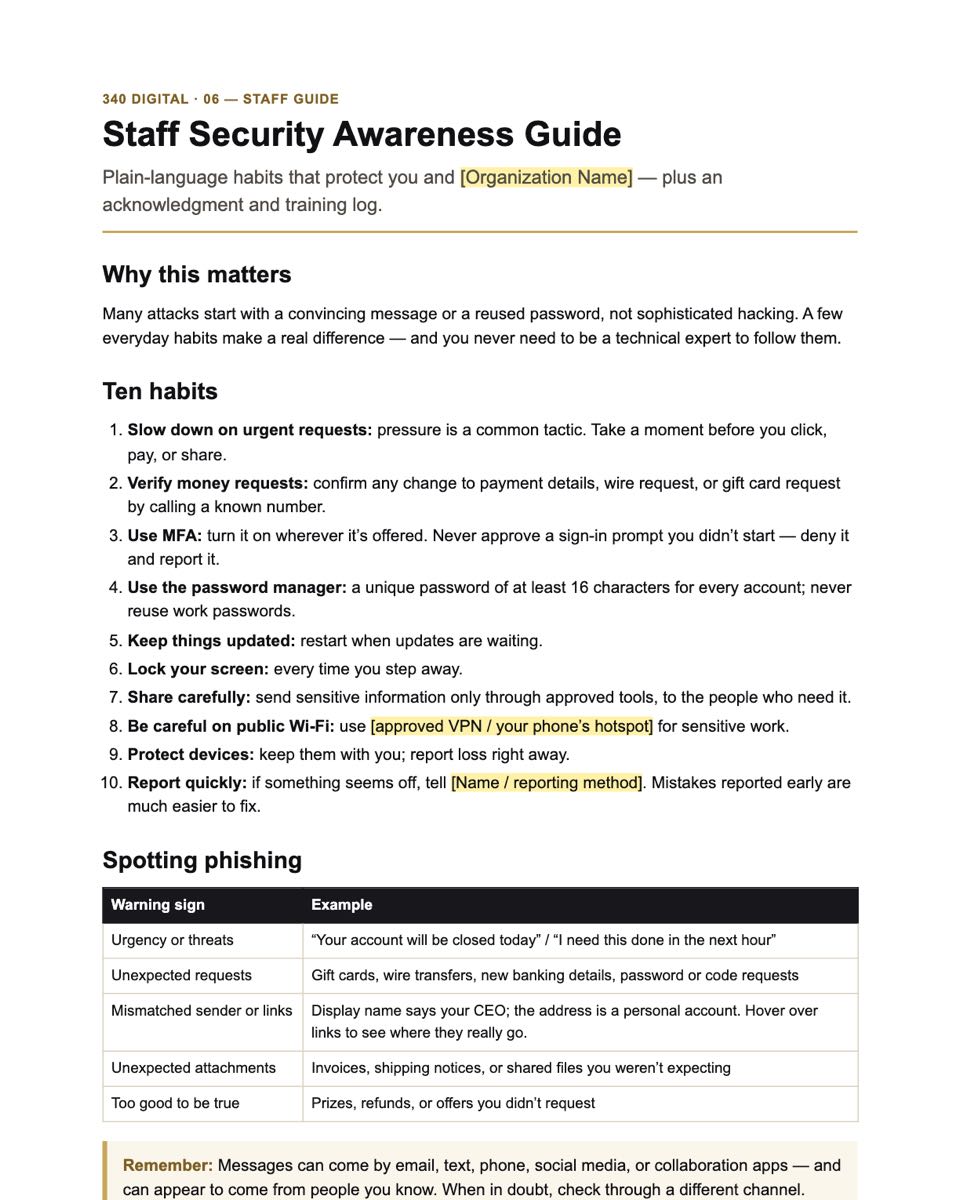
- DOCX06 · Staff Security Awareness Guide & AcknowledgmentTen everyday habits, how to spot phishing, how to report, and a sign-off and training log.
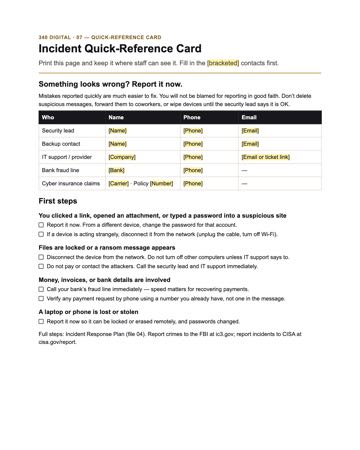
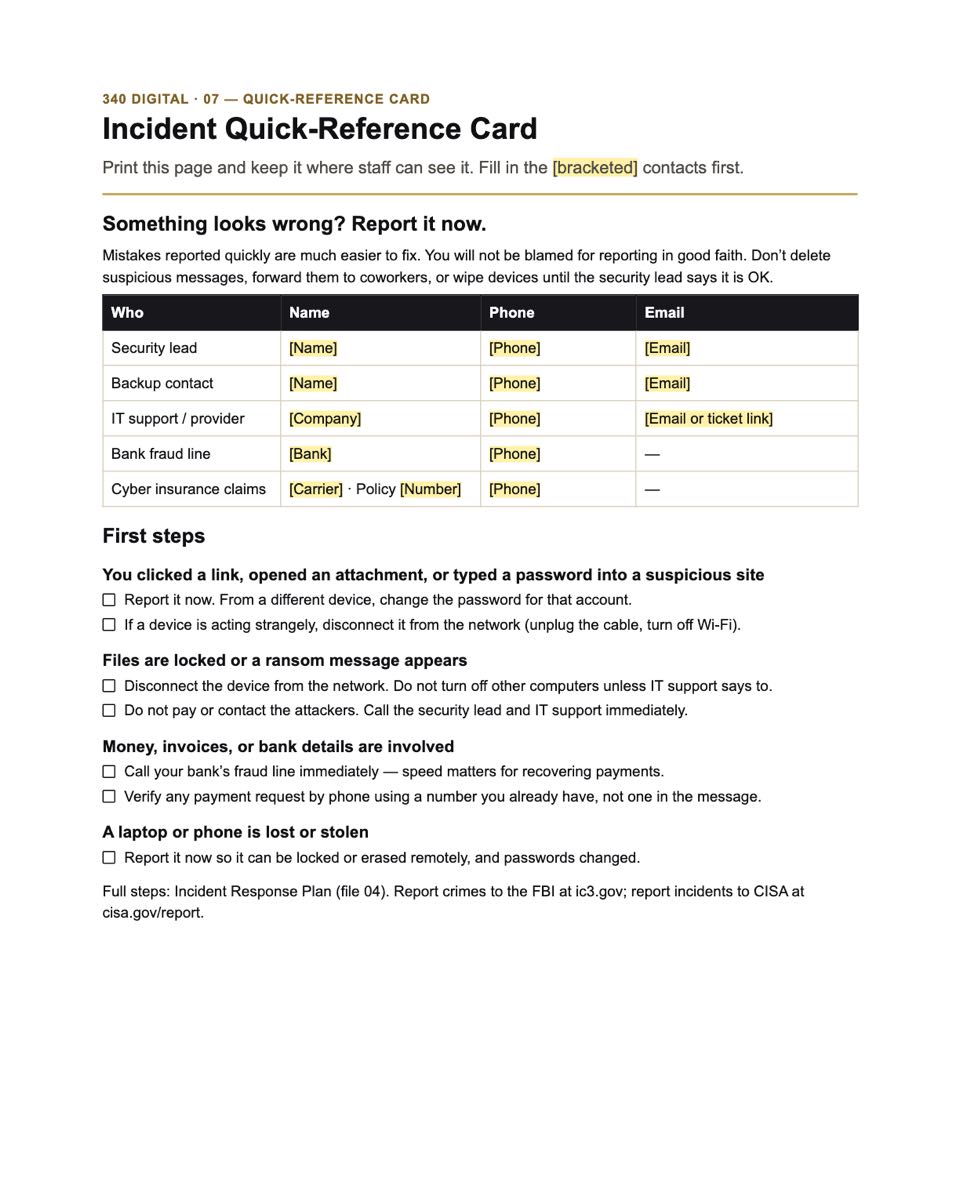
- DOCX07 · Incident Quick-Reference CardA one-page printable card: who to call and the first steps for common incidents.
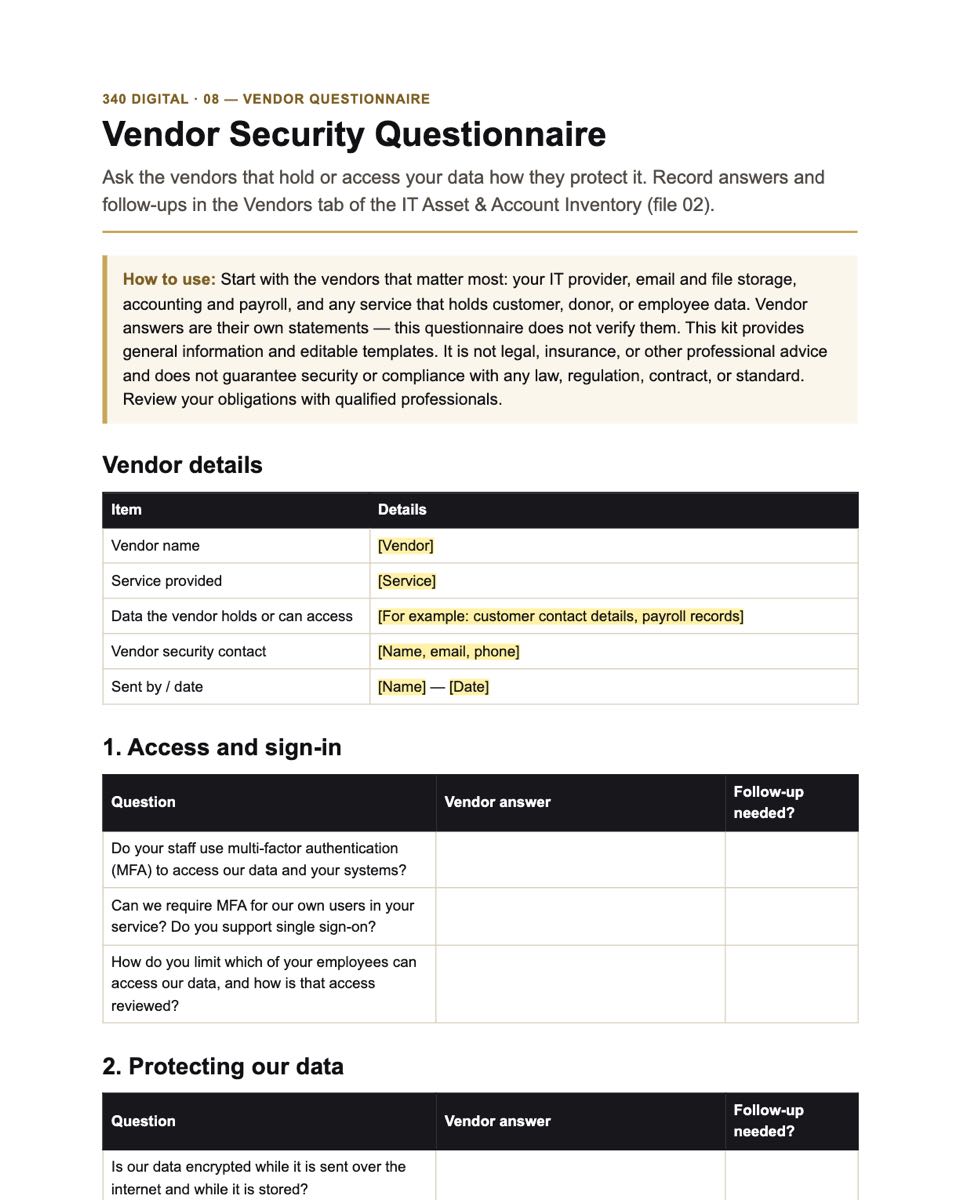
- DOCX08 · Vendor Security QuestionnairePlain-language questions to ask the vendors that hold your data, with a review checklist.
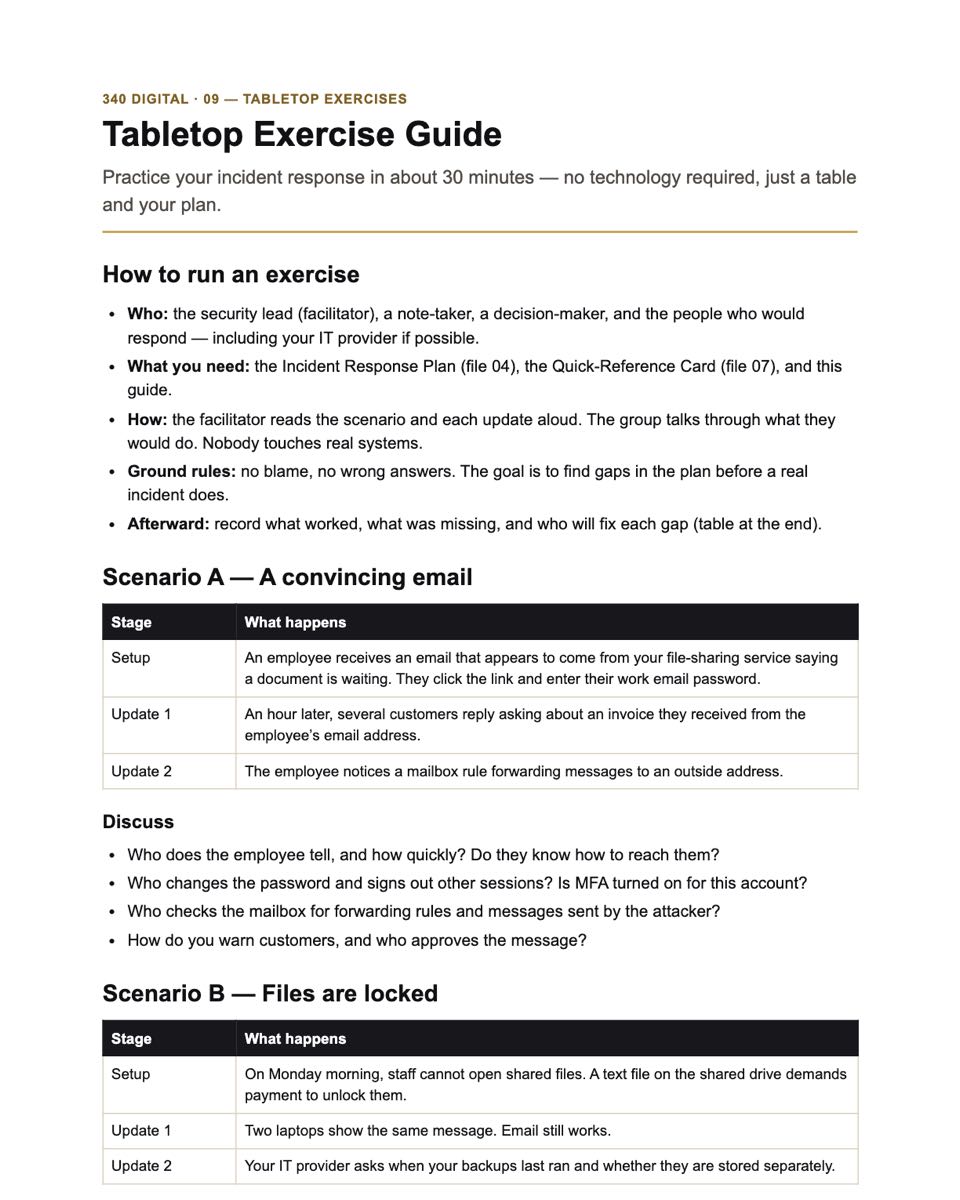
- DOCX09 · Tabletop Exercise GuideThree 30-minute practice scenarios — phishing, ransomware, and a stolen laptop — with an action log.
04 How the files are used
A 30-day plan, one week at a time.
The Start Here guide walks you through it. Each week builds on the last, and the checklist records what is done.
Week 1
Get organized and take stock
- Name your security lead
- Inventory devices and software & cloud services
- List administrator accounts and where sensitive data lives
- Mark checklist items that are already done
Week 2
Lock down accounts and devices
- Turn on MFA for email, banking, payroll, and admin accounts
- Change default device passwords; check Wi-Fi security
- Set up a password manager
- Turn on updates, security software, and disk encryption
- Remove accounts people no longer need
Week 3
Backups, policy, and people
- Record your backups and run a test restore
- Customize and approve the security policy
- Share the staff guide and collect acknowledgments
- Send the vendor questionnaire to your key vendor
Week 4
Be ready to respond
- Fill in the incident response plan contacts
- Print and post the quick-reference card
- Turn on sign-in and security alerts
- Run one 30-minute tabletop exercise
- Choose your top five open items for next quarter
Buying from 340 Digital
Clear answers before you buy.
Who we are
A product line of 340 Solutions LLC, a Connecticut company providing IT strategy and consulting for small organizations.
Exactly what you get
Every file is listed with real previews. One-time price in U.S. dollars — no subscription or add-ons.
How delivery works
When checkout opens, you’ll pay through our checkout provider and receive a ZIP download. Details
If something goes wrong
Email info@340solutions.com for download or file problems. See our Refund Policy.
05 Next step
Look through every file before you decide.
Small Business Cybersecurity Starter Kit · $39 one-time. Checkout opens at launch.
Store opening soon
Launch updates
Checkout isn’t open yet. Email us and we’ll reply when the Starter Kit is available. We use your email only to reply — it isn’t added to a mailing list.
Opens your email app, addressed to info@340solutions.com.