Cybersecurity · Digital download
Small Business Cybersecurity Starter Kit
Editable checklists, templates, and a 30-day plan to put sensible cybersecurity basics in place — without hiring a full-time IT team.
- 10 editable files
- 7 Word · 3 Excel
- 7 PDF reading copies
- One ZIP · about 1.5 MB
- Version 1.0
Overview
Security basics, turned into a plan.
Most small organizations know they should “do something” about cybersecurity but are unsure where to start. This kit turns widely recommended basics into a practical plan you can work through in about 30 days.
It is organized around the six functions of the NIST Cybersecurity Framework 2.0 — Govern, Identify, Protect, Detect, Respond, and Recover — and written in plain language for owners, office managers, and executive directors.
Every Word and Excel file is editable. Add your organization’s name, adjust the policies to fit how you work, and use the spreadsheets to track progress. PDF reading copies are included for reading and printing.
Inside the kit
10 editable files, in working order.
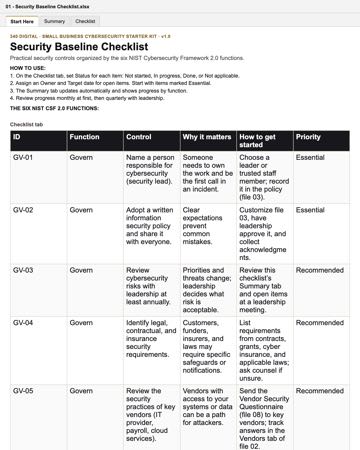
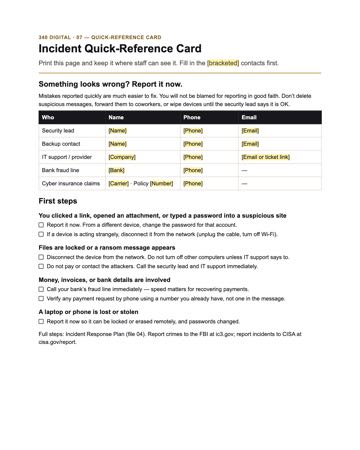
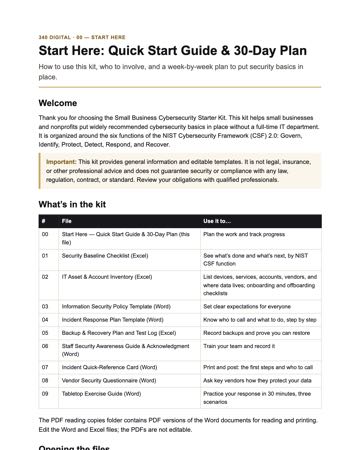
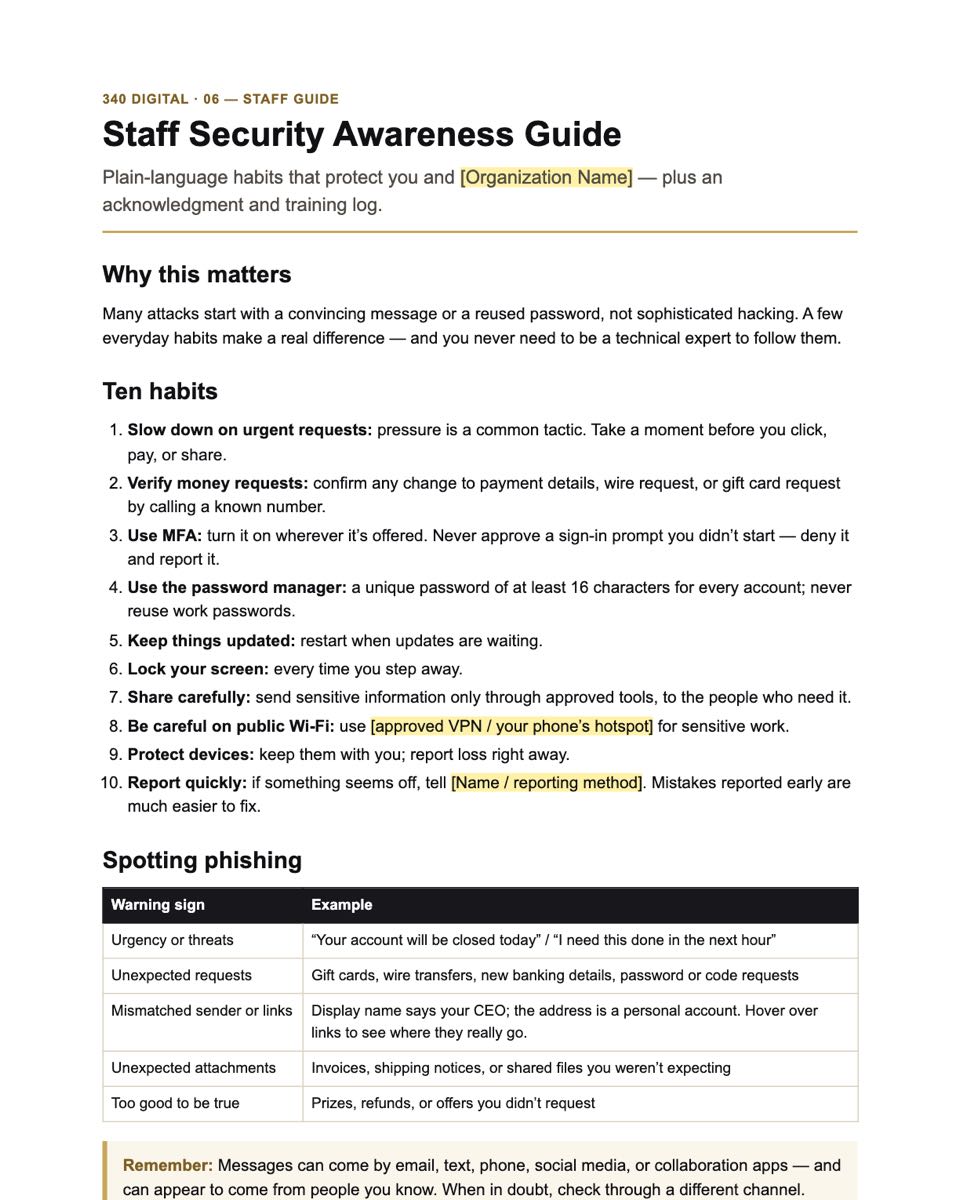
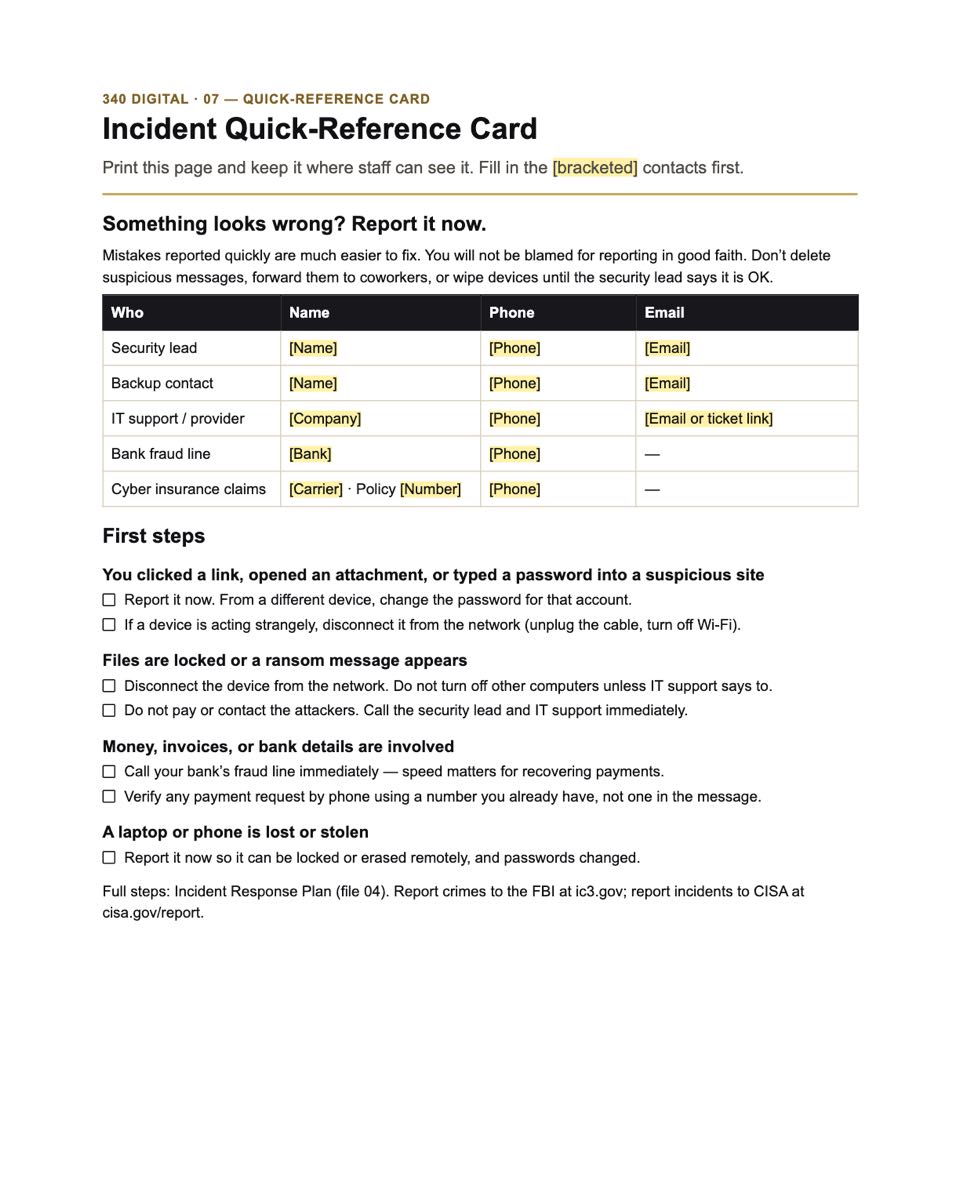
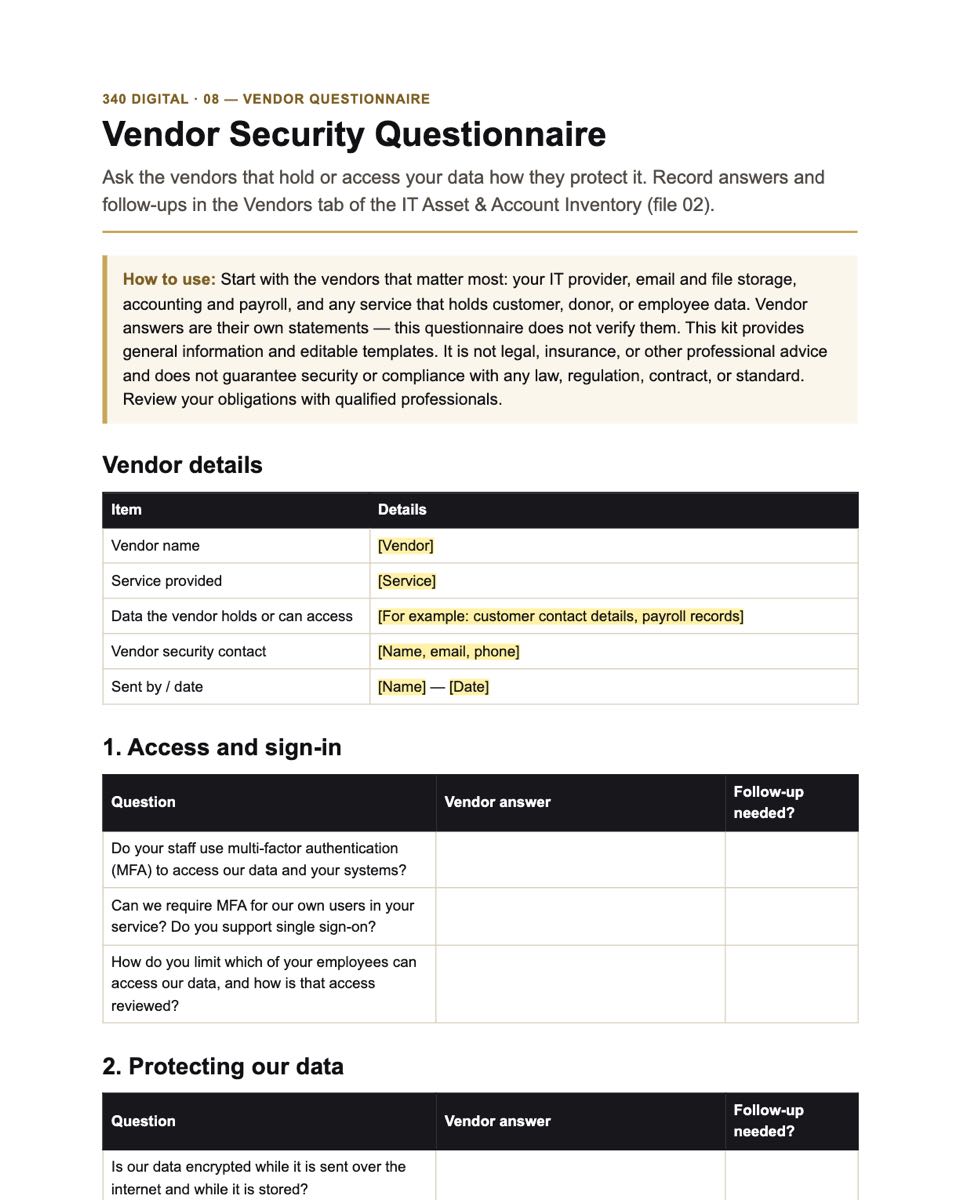
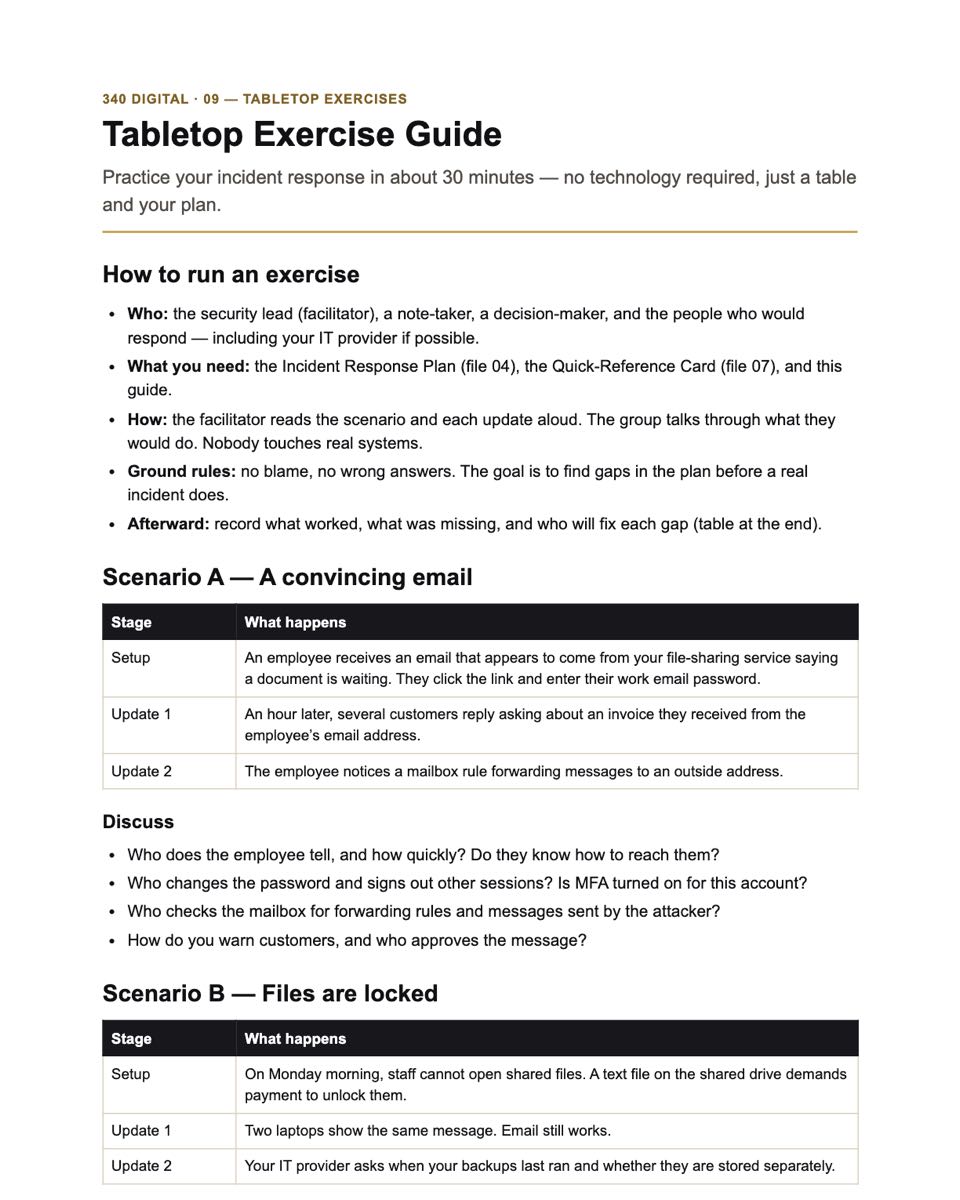
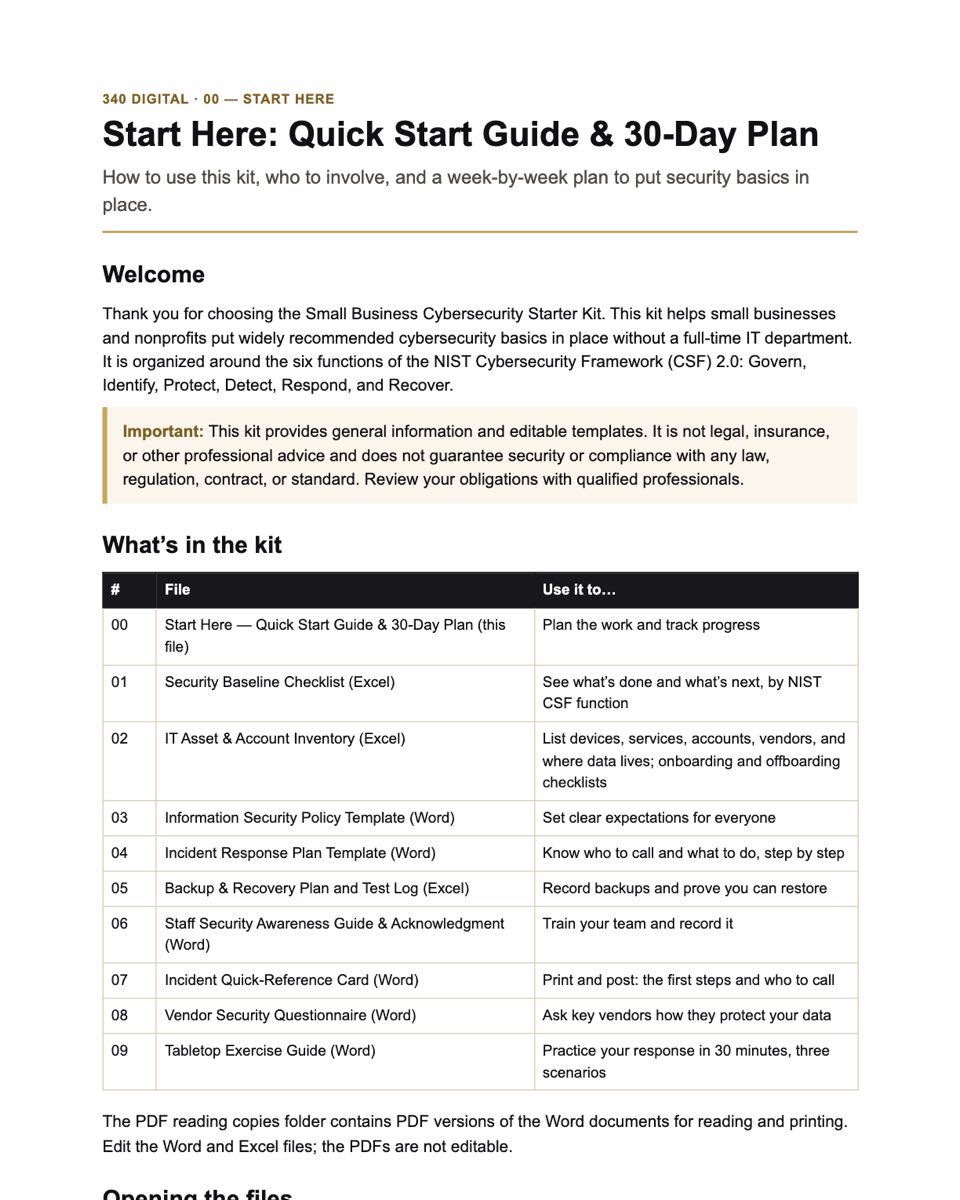
One ZIP download (about 1.5 MB): 7 Word documents and 3 Excel workbooks you can edit, 7 PDF reading copies of the Word documents, a README, the license, and a file manifest. Select a file to see its first page, rendered from the actual file. Text in [brackets] is where you add your details.
- DOCX00 · Start Here — Quick Start Guide & 30-Day PlanWhat each file is for, who to involve, a week-by-week plan, and a plain-English glossary.
- XLSX01 · Security Baseline Checklist40 practical controls grouped by NIST CSF 2.0 function, with status, priority, owner, and a progress summary.
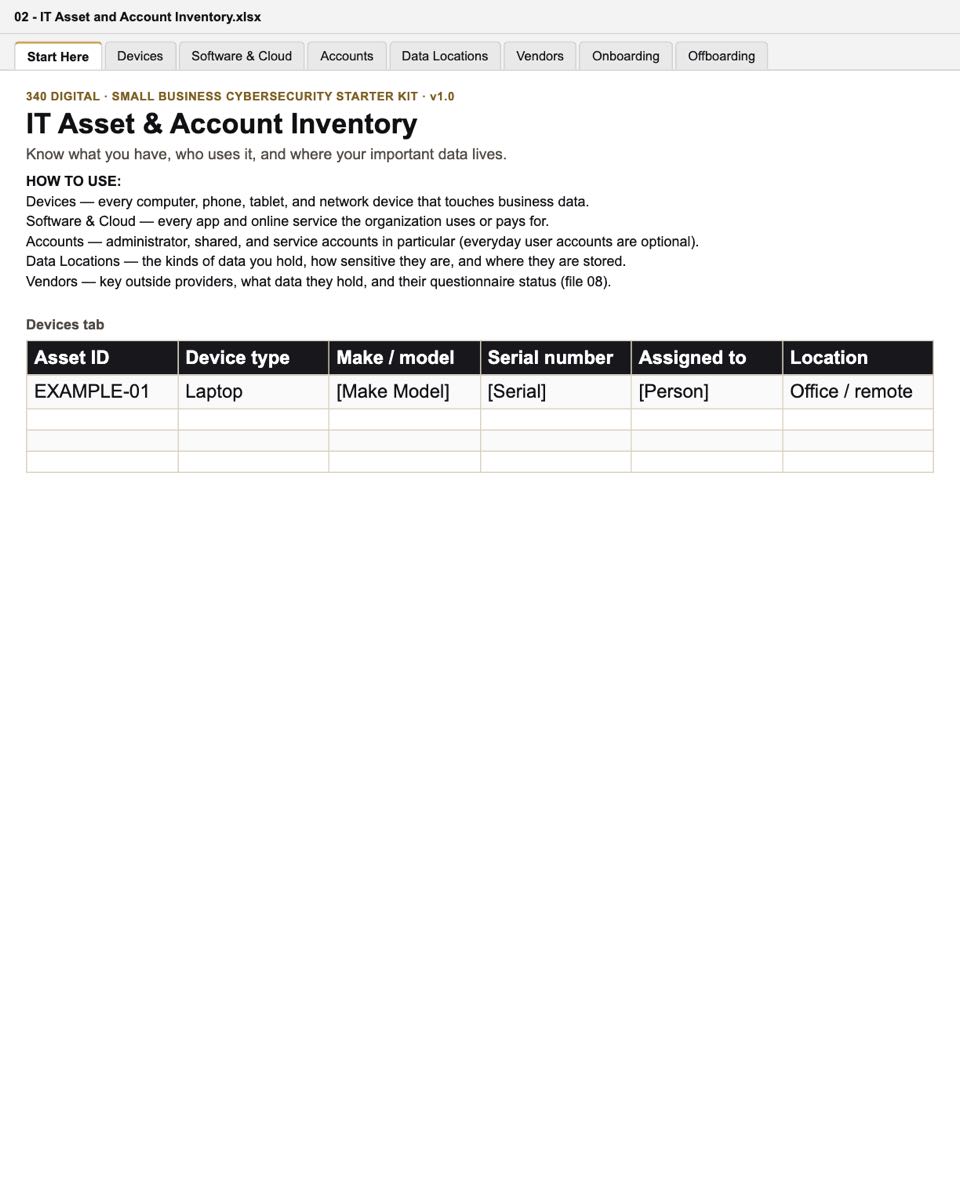
- XLSX02 · IT Asset & Account InventoryDevices, software and cloud services, key accounts, vendors, and data locations — plus onboarding and offboarding checklists.
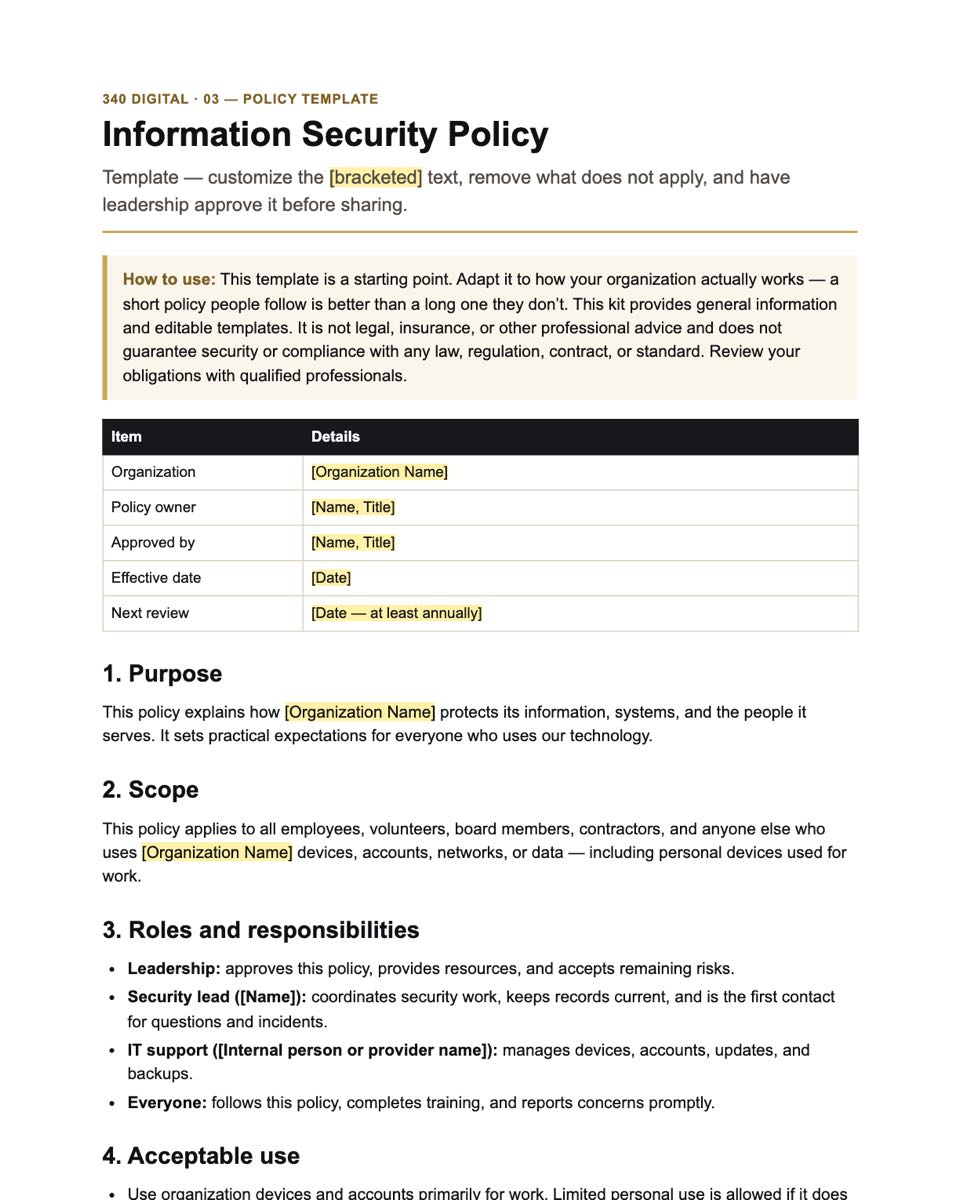
- DOCX03 · Information Security Policy TemplateEditable starter policy covering acceptable use, passwords and MFA, devices, email, data handling, and reporting.
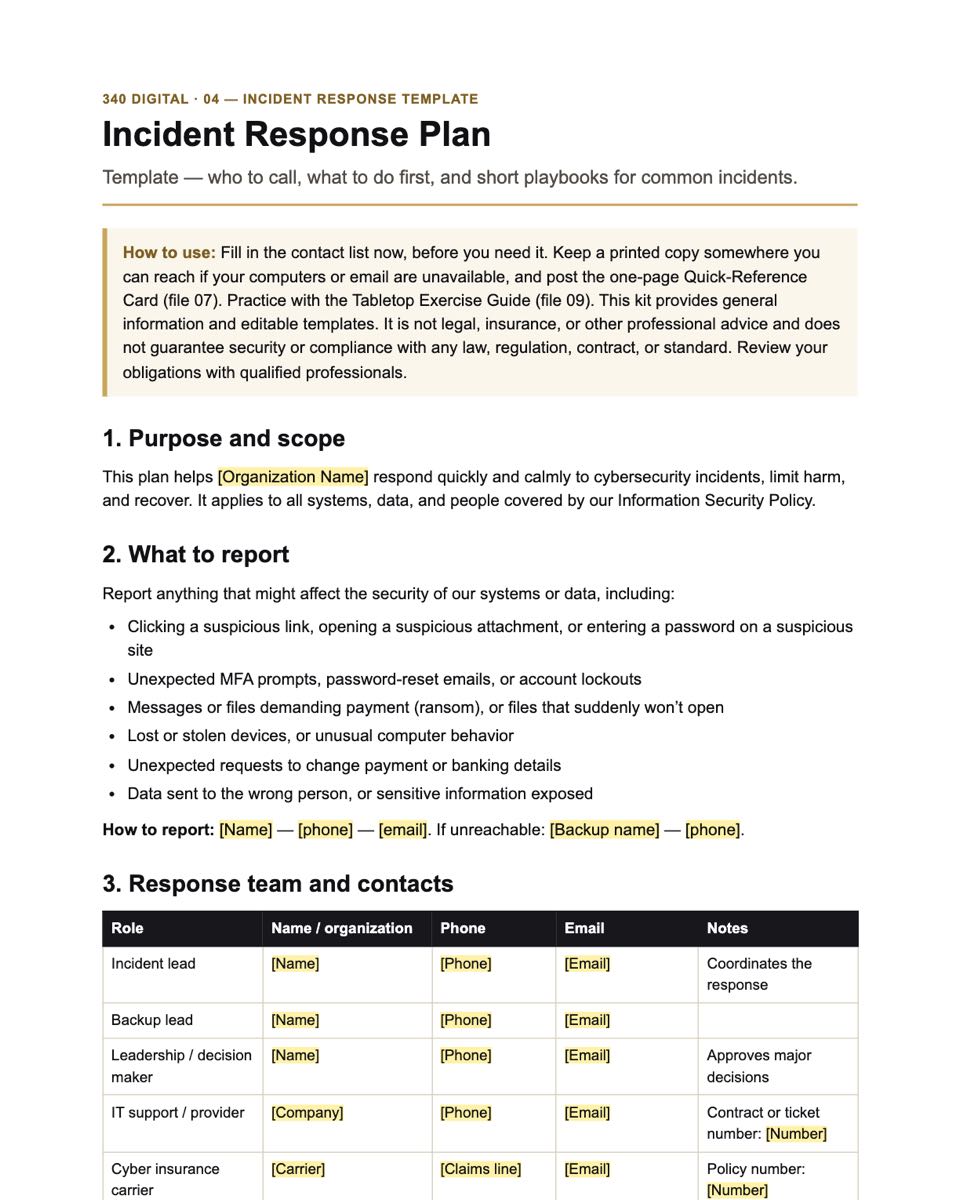
- DOCX04 · Incident Response Plan TemplateRoles, contacts, severity levels, first steps, and five short playbooks, including ransomware and payment fraud.
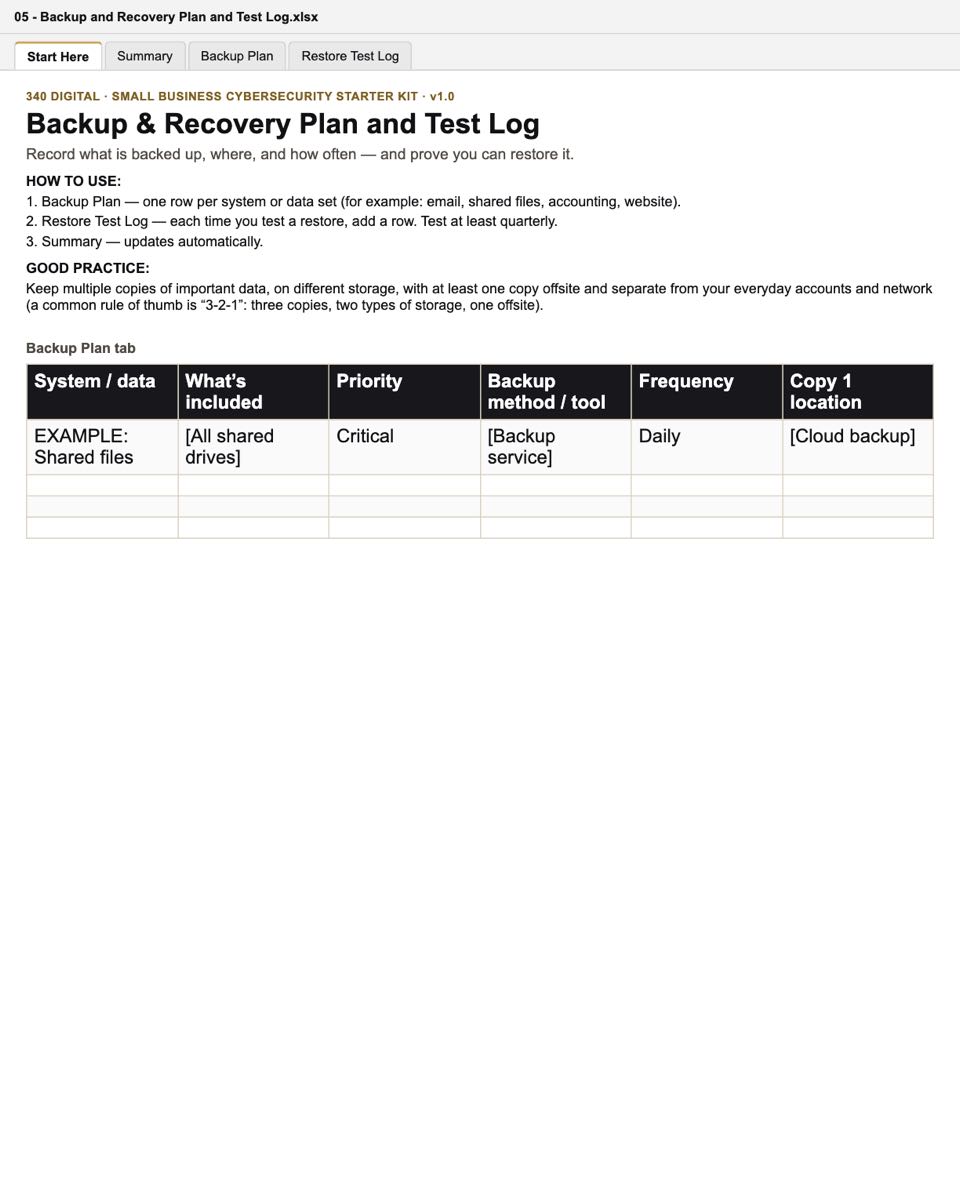
- XLSX05 · Backup & Recovery Plan and Test LogRecord what is backed up, where, and how often — and log restore tests.
- DOCX06 · Staff Security Awareness Guide & AcknowledgmentTen everyday habits, how to spot phishing, how to report, and a sign-off and training log.
- DOCX07 · Incident Quick-Reference CardA one-page printable card: who to call and the first steps for common incidents.
- DOCX08 · Vendor Security QuestionnairePlain-language questions to ask the vendors that hold your data, with a review checklist.
- DOCX09 · Tabletop Exercise GuideThree 30-minute practice scenarios — phishing, ransomware, and a stolen laptop — with an action log.
30-day plan
What you’ll do, week by week.
The same plan as the Start Here guide. Most steps take an hour or two; the pace is yours.
Week 1
Get organized and take stock
- Name your security lead
- Inventory devices and software & cloud services
- List administrator accounts and where sensitive data lives
- Mark checklist items that are already done
Week 2
Lock down accounts and devices
- Turn on MFA for email, banking, payroll, and admin accounts
- Change default device passwords; check Wi-Fi security
- Set up a password manager
- Turn on updates, security software, and disk encryption
- Remove accounts people no longer need
Week 3
Backups, policy, and people
- Record your backups and run a test restore
- Customize and approve the security policy
- Share the staff guide and collect acknowledgments
- Send the vendor questionnaire to your key vendor
Week 4
Be ready to respond
- Fill in the incident response plan contacts
- Print and post the quick-reference card
- Turn on sign-in and security alerts
- Run one 30-minute tabletop exercise
- Choose your top five open items for next quarter
Is it right for me?
A good fit — and its limits.
Designed for
- Small businesses with roughly 1–50 people
- Nonprofits and community organizations
- Owners and managers who handle IT alongside other duties
- Organizations preparing to work with an outside IT provider
When you’re done, you’ll have
- A clear picture of the devices, accounts, vendors, and data you need to protect
- A prioritized checklist of security basics with owners and due dates
- A starter security policy your team can read and acknowledge
- An incident response plan and a one-page card that tells staff what to do first
- A backup and recovery record you can test against
- A practiced team: three 30-minute tabletop scenarios to rehearse your response
Not included
- Legal advice, or a guarantee of compliance with any law, regulation, or standard
- Software, monitoring, or technical support
- A certification or audit of your organization
Formats & license
Standard files. A plain-language license.
- Editable files
- 7 Word documents (.docx) and 3 Excel workbooks (.xlsx)
- Reading copies
- 7 tagged PDFs with bookmarks (not editable)
- You’ll need
- Software that opens Word (.docx) and Excel (.xlsx) files. A PDF reader for the optional reading copies. A computer for editing (files open on phones, but are easier to edit on a larger screen).
- Accessibility
- Real headings and table header rows in every document
- Version
- 1.0 · SKU 340D-CSK-001
License: One purchase licenses one organization.
You may
- Use, copy, edit, and print the files for your organization’s internal purposes
- Share them with your employees, volunteers, board members, and authorized contractors or advisers
- Keep using your customized documents
Please don’t
- Reselling, sublicensing, or giving away the files, edited or not
- Publishing them or making them publicly downloadable
- Repackaging them into templates, kits, or courses for sale or distribution
A sole proprietor counts as one organization. Consultants and IT providers: one purchase covers work for one client organization. Each additional client needs its own purchase. Full terms
Delivery & support
What happens after you buy.
Checkout is not open yet. This is how purchases will work at launch.
Checkout
Pay $39 once through our checkout provider, Payhip. Any sales tax is shown before you pay.
Download
Download the ZIP from the confirmation page or your receipt email. Save it somewhere safe.
Get help
Lost link or a file that won’t open? Email info@340solutions.com. See the Refund Policy.
What do I get, exactly?
One ZIP download (about 1.5 MB) containing 7 Word documents and 3 Excel workbooks you can edit, PDF reading copies of the 7 Word documents, a README with opening instructions, the license, a dated copy of the terms of sale, and a file manifest.
What do I need to open the files?
Software that opens standard Word (.docx) and Excel (.xlsx) files, and a PDF reader for the reading copies. If you use Microsoft Office and see a Protected View bar, click “Enable Editing” so the spreadsheet summaries can calculate. Formatting can differ between applications.
Is this a compliance program?
No. The kit helps you put common, widely recommended security basics in place. It does not make your organization compliant with any specific law or standard. If you have regulatory obligations, review them with a qualified professional.
Do I need technical skills?
No. The kit is written for non-technical leaders and includes a plain-English glossary. Some steps, such as turning on multi-factor authentication or checking backups, may need help from whoever manages your computers.
Is this a subscription?
No. It is a one-time purchase. There are no recurring charges.
How is the kit delivered?
After checkout, our checkout provider gives you a download link and emails you a receipt with the link. Save the ZIP file somewhere safe.
I lost my download link or the download failed.
Check your spam folder for the receipt first. If you still need help, email us with the address you used at checkout and your order date, and we will help you get the files.
Will sales tax be added?
Depending on where you are, sales tax may be calculated and shown at checkout before you pay.
Can I edit and share the files?
Yes, within your organization. One purchase licenses one organization (a sole proprietor counts as one): you can share the files with your employees, volunteers, board members, and authorized contractors or advisers. Please don’t resell, publish, or repackage them.
I’m a consultant. Can I use the kit with clients?
Yes — one purchase covers work for one client organization, and you can deliver the customized documents to that client. Each additional client needs its own purchase.
What if something goes wrong?
Email info@340solutions.com. For a failed download or a file that won’t open we’ll help or send a replacement; duplicate purchases and material defects are covered by our Refund Policy. Because the files are delivered instantly, we don’t offer change-of-mind refunds after delivery, except where the law requires.
Store opening soon
Launch updates
Checkout isn’t open yet. Email us and we’ll reply when the Starter Kit is available. We use your email only to reply — it isn’t added to a mailing list.
Opens your email app, addressed to info@340solutions.com.